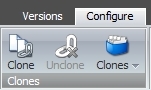
This blog post is about a recent customization I made to the Sitecore content editor to easily show a listing of clones of an item. Part of what inspired me to build this is recent research I’ve been doing on significant clone use, as well as a recent Stack Overflow question, Can Sitecore Clones Become More Automatic. Essentially, I’ve built a custom dropdown button on the Configure tab which mimics the Links dropdown, except this one only shows Clones.
Creating Clones
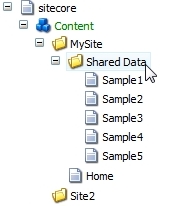
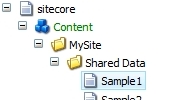
First, let’s see how we create a clone. Find a content item that you want to clone, such as a shared data item:
On the Configure tab, click the Clone button to clone it:

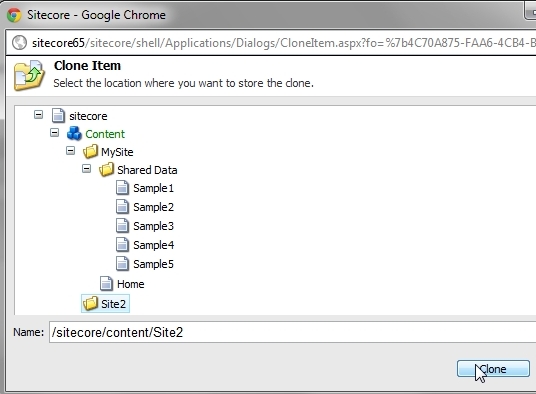
Select a parent item for the new clone item:
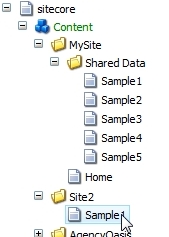
Now you’ll see the clone item in the tree, separate from the original source item:
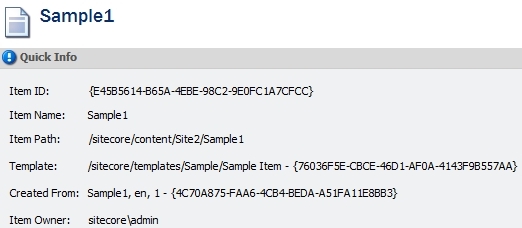
When you select the clone, you can see it was created from the source item:
The New Clones Dropdown
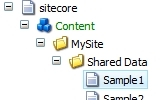
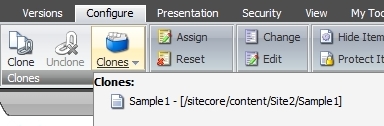
Now, when you go back to the source item, the new custom Clones dropdown will show all of the clones items created from that item. This can be an easy way to audit how many clones exists and where, for a given source item:
The Sitecore Package
This is available as a simple Sitecore package, just install it, no configuration needed: Clones Listing Ribbon Button Package (ZIP)
To uninstall the package:
- Delete the file
/bin/Sitecore.Sharedsource.ClonesListing.dll - Delete the folder
/sitecore/shell/Applications/Content Manager/Galleries/Clones - Delete the item in the CORE database:
/sitecore/content/Applications/Content Editor/Ribbons/Chunks/Item Clones/Clones
Source Code
The source code is available on Sitecore’s Shared Source directory: http://trac.sitecore.net/CustomClonesListing/
Nice work Mark!
I think many people would find this very useful. Have you thought about putting it on Sitecore Shared Source (http://trac.sitecore.net/Index) to make it easy for people to find?
Hi Alistair –
I’ve gone ahead and moved this over to Shared Source as you suggested!
Great little module. A simple solution that should help curb some worries that clients have about using clones. Thanks!